

If there is one thing inseparable from the internet, it is links!
We use them constantly and they take us (almost) everywhere. We add them to text and images on our websites, place them in menus, and regularly include them in emails.
The principle of a link remains the same everywhere. So I think it's useful to explain a few things about them and look at the most commonly used links. Maybe you'll learn something new!
First of all, there are different destinations for links
You're probably familiar with the standard link to a webpage. For clarity, it looks like this:
• Link to a URL:
https://yourwebsitemadeeasy.com/
But did you know you can also use these destinations?
• Link to an Email:
mailto:deshna@personaldomain.com
• Link to phone:
tel:0046735371812
• Link to send an SMS:
sms:0046735371812
• Link to WhatsApp:
https://wa.me/46735371812
Cool, right? And we're going even further
What about linking to a specific section of a webpage? The link then takes you to a specific part of a webpage that uses this ID.
In Divi, open the settings of the element you want to link to, go to the 'Advanced' tab, open 'CSS ID & Classes' and enter the text you want to use as 'anchor-name' in the CSS ID field. See the example below.
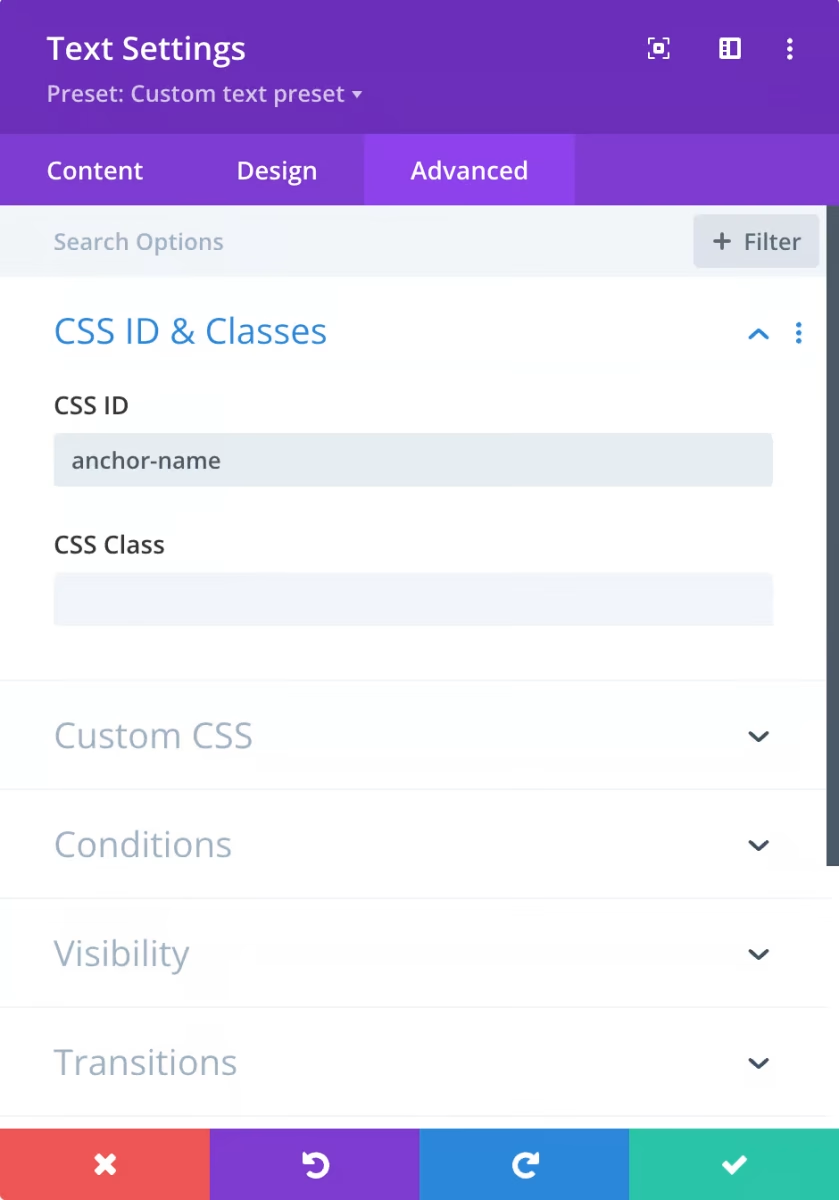
Once you've entered the ID for an element on the page, the next step is adding a hashtag to your URL, followed by the ID:
• Anchored link to a section on another page:
https://yourwebsitemadeeasy.com/#anchor-name
Important detail: you can only use an ID once on a page.
And if you use the anchored link on the same page as the anchored element, you only need to enter the hashtag with the anchor ID in the URL field of the link:
• Anchored link to a section on the same page:
#anchor-name
One more thing to complete links on your website…
when you add a link from your website to another website, always have the browser open a new tab. You do this with the 'link target' setting of the module.
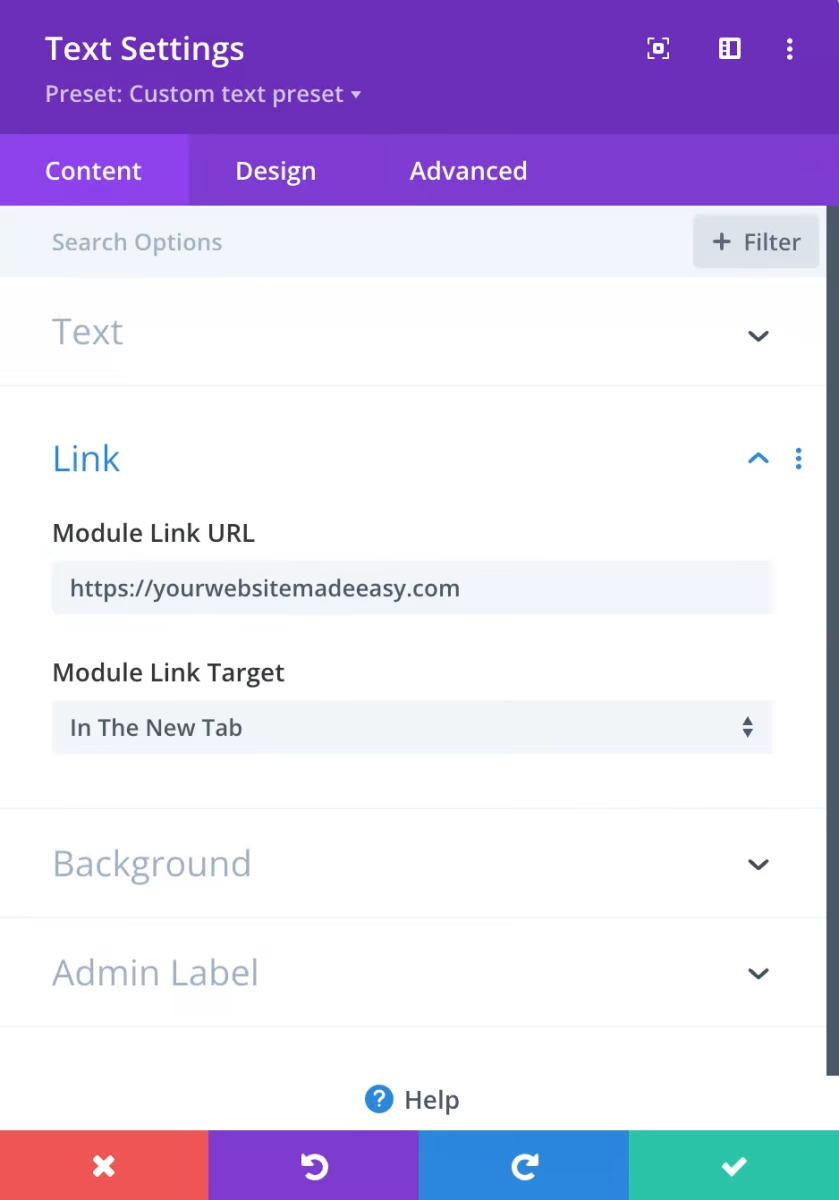
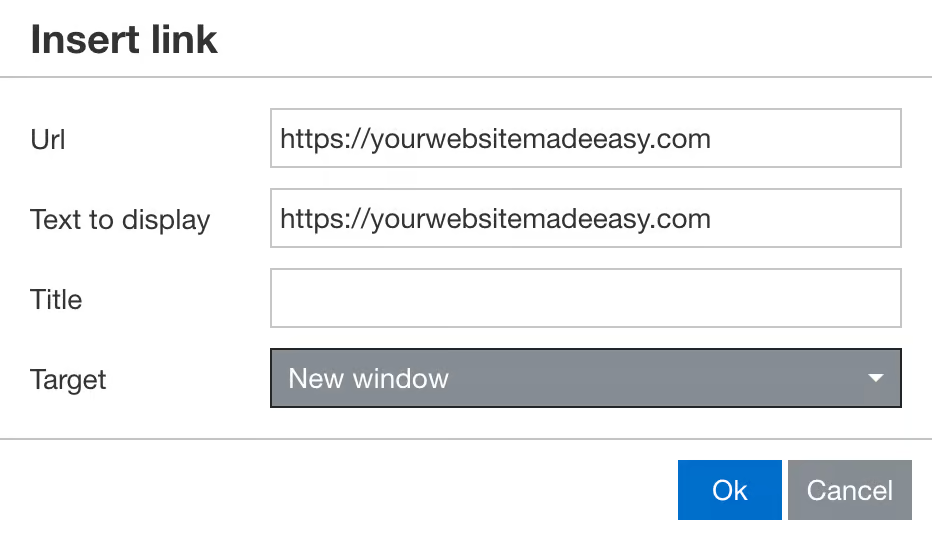
Are you in the Divi text editor? Then set the target to 'new window'.
These are my smart link tips
I hope they're helpful to you. Want to talk more about links? You can chat with me via WhatsApp, or contact me by email or phone. Use a linked button below. A great way to try it out!
 Nederlands
  English (UK)